

How to find and check ETAN job announcements for Timor-Leste
Use shared announcements as a starting point, then verify the current vacancy with the recruiting organisation.
How do I follow these steps on screen?
Follow the numbered steps below. Screenshots were captured on 20 November 2026; page details may change. Your device automatically receives the matching mobile, tablet or desktop capture. Select an image to enlarge it.
1Find ETAN’s official list information
Open ETAN’s website and locate its email-list information link. On smaller screens, its older fixed-width pages may require horizontal scrolling or zooming.
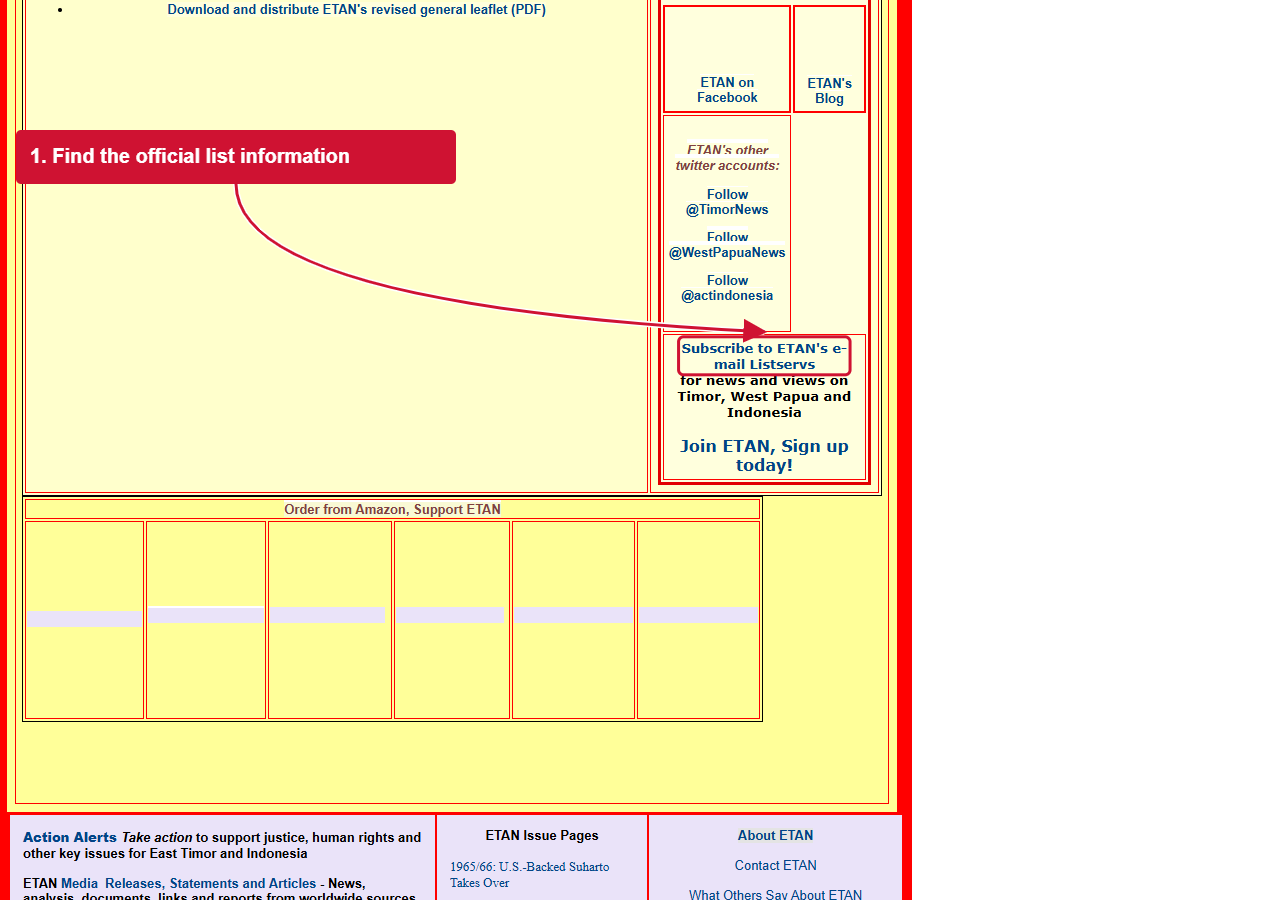
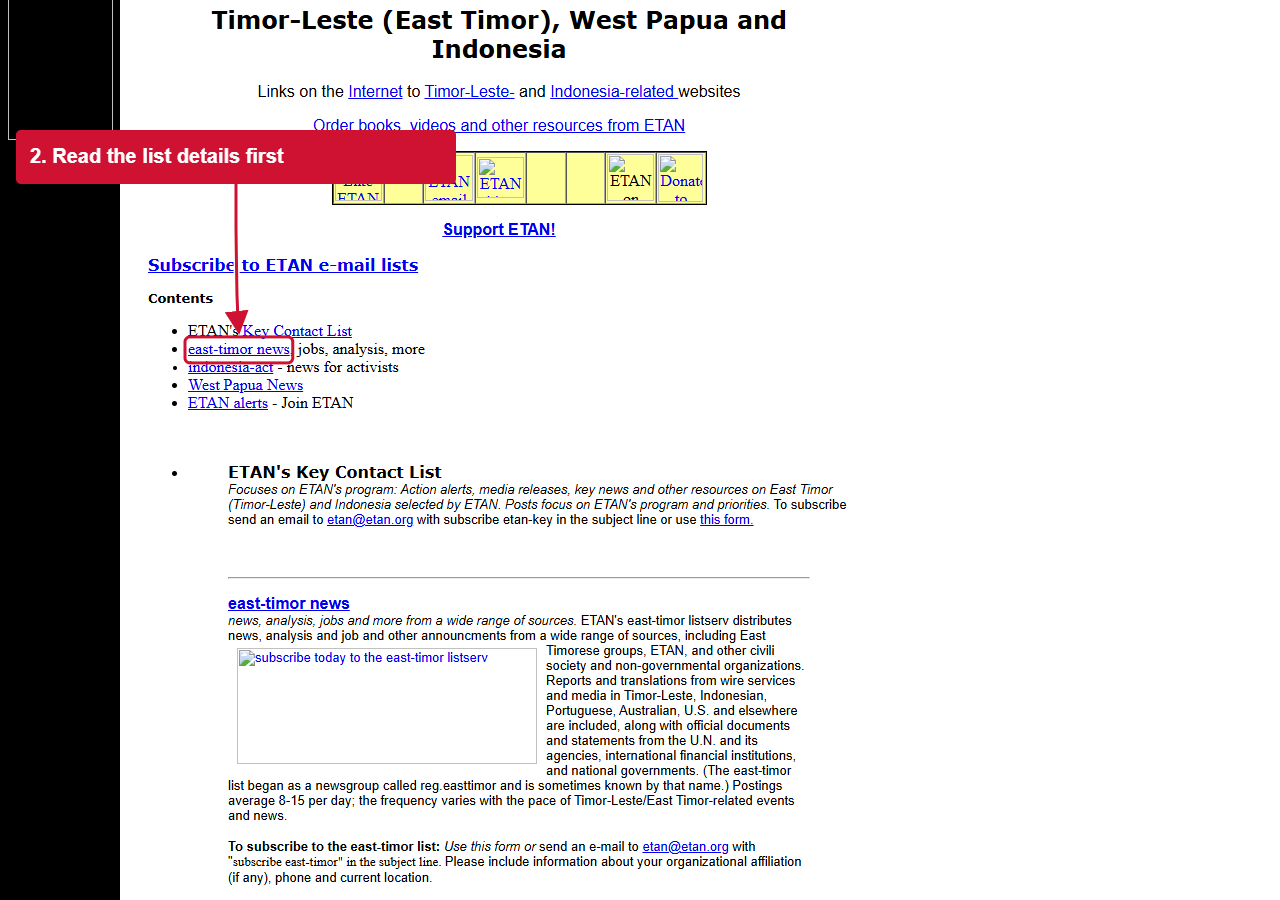
2Read the relevant list details
Follow the link to the list information page and review the east-timor section. Check the options currently offered there. No subscription or personal details were submitted during this walkthrough. Verify any shared vacancy with its actual recruiting organisation.
Where should I start when searching for ETAN Timor-Leste jobs?
Start from the official East Timor and Indonesia Action Network website. ETAN provides information and links to its email lists, and its homepage identifies information about posting job-related announcements. A search for “ETAN jobs” may lead to a shared notice rather than a job employed by ETAN itself. Identify who is actually recruiting.

Is an ETAN announcement the same as an application?
No. Reading a mailing-list message or a repost does not submit an application. Use the named employer’s instructions in the original, current notice. Check the title, reference, contact and deadline. If a link no longer works, find the recruiting organisation’s official website rather than sending documents to an unrelated address.
How do I check whether a shared vacancy is still open?
Compare the announcement date and closing date with the current employer notice. Look for corrections or a re-advertisement that changes the requirements. Older messages can remain visible after recruitment ends. A recent repost date is not necessarily a new application deadline.
What should I do if an announcement has missing details?
Ask the employer through its published contact route for the complete job description, eligibility and application method. Keep the original message so you can refer to the title and reference. Do not assume that another vacancy from the same organisation has identical conditions.
How can I protect my personal information when applying?
Verify the destination before sending a CV or sensitive documents. Provide what the employer requests through the confirmed route, and ask about anything unusual. A familiar logo is not proof of authenticity. UNDP’s fraud warning is one example of why applicants should cross-check recruitment messages; it is not an ETAN policy statement.
Which other job sources can I use alongside ETAN?
Compare current Jobs.tl vacancies, official employer careers pages and UN recruitment sources. Use our job-source guide for a broader starting point. Keep one record per opportunity to avoid submitting duplicate applications through different reposts.
Useful pages for your next step
Your next step
Find a role that fits.
Compare current vacancies and follow the employer’s application instructions.
